Minimal CI CD setup with Flutter and GitHub Actions — Part 2
Minimal CI CD setup with Flutter and GitHub Actions — Part 2
Part 2:
- Verify Dart code formatting
- Analyze flutter code for errors and warnings
- Run unit tests
Let’s continue,
1. Verify Dart code formatting
Maintaining code formatting is hard when we are working in a team, even harder for people who review PRs.
So, It makes sense to put everyone’s code against the same standards.
In our case, we can use the official _dart format_ command to check formatting (using dartfmt).
Add the dart format check in our .yml action file as follows,
# Verifies if the dart code is formatted well
- name: Verify formatting
  run: dart format --output=none --set-exit-if-changed .
  # --set-exit-if-changed stops execution if the any code is not well formatted
  # --output=none prints files which needs to be formatted
Note: It is also recommended to add dart format to git pre-commit hook.
It will format the code if needed whenever a developer tries to commit.
2. Analyze flutter code for errors and warnings
Another factor for code hygiene and maintenance is to keep resolving warnings as and when they come. Teams should incline towards merging PRs only if the code does not have any analysis warnings.
Add the flutter analyze command as follows,
# Checks for Symantic errors. Can be configured using analysis_options.yaml
- name: Analyze project source
  run: flutter analyze --fatal-warnings
  # --fatal-warnings stops execution if any warnings are found
3. Run unit tests
Unit tests are often forgotten when the pace of feature development picks up. To enforce long-term maintenance and inspire developers to write and maintain UTs, run tests on every PR.
Add flutter test step as follows.
# Runs unit test
- name: Run tests
  run: flutter test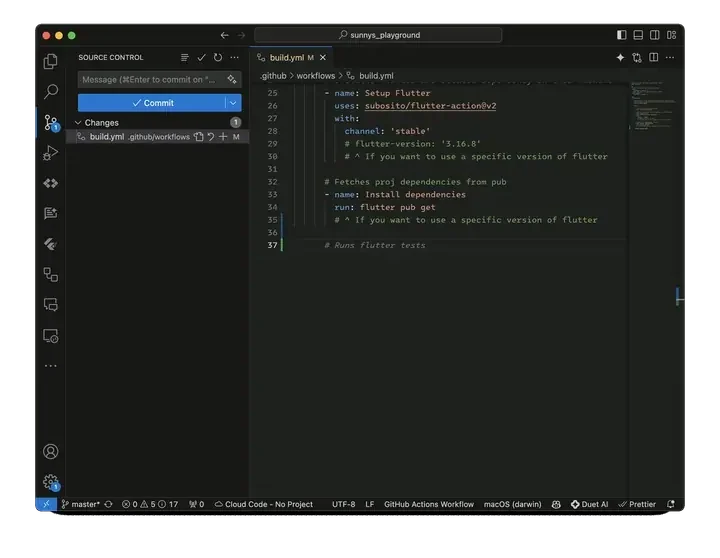
Adding all 3 steps in build.yml file
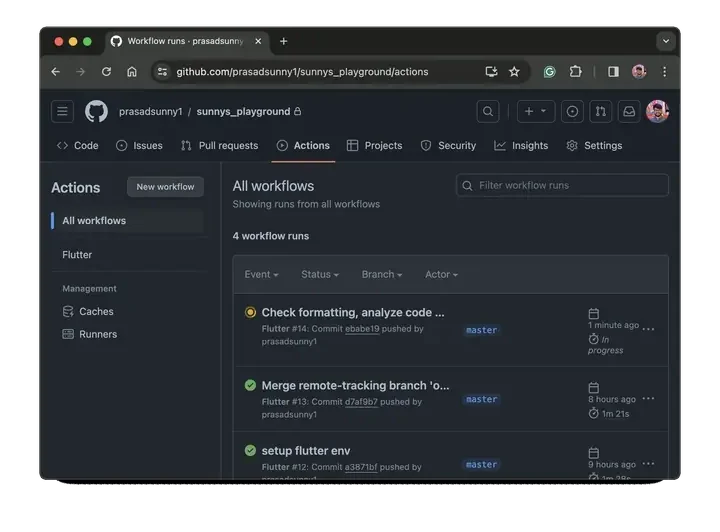
Github action running the new steps and failing with the output
Review the final _build.yml_ file for Part 2
https://github.com/prasadsunny1/sunnys_playground/blob/ebabe19/.github/workflows/build.yml
# Note: In a yml each level is padded by 2 spaces
name: Flutter

on:
  # Runs this action when you push on master
  push:
    branches: [ "master" ]
  # Runs this when a PR against master is created
  pull_request:
    branches: [ "master" ]

jobs:
  flutter_job:

    # The machine, we can also use windows-latest or ubuntu-latest
    # We are choosing macos-latest because we will be also building for iOS
    runs-on: macos-latest

    steps:

      # Clones the project on the machine
      - uses: actions/checkout@v4

      # Installs flutter and related dependency on this machine
      - name: Setup Flutter
        uses: subosito/flutter-action@v2
        with:
          channel: 'stable'
          # flutter-version: '3.16.8'
          # ^ If you want to use a specific version of flutter

      # Fetches proj dependencies from pub
      - name: Install dependencies
        run: flutter pub get
        # ^ If you want to use a specific version of flutter

      # Verifies if the dart code is formatted well
      - name: Verify formatting
        run: dart format --output=none --set-exit-if-changed .
        # --set-exit-if-changed stops execution if the any code is not well formatted
        # --output=none prints files which needs to be formatted

      # Checks for Symantic errors. Can be configured using analysis_options.yaml
      - name: Analyze project source
        run: flutter analyze
        # optionally use --fatal-warnings to stop execution if any warnings are found

      # Runs unit test
      - name: Run tests
        run: flutter test
_Continue reading …_
- Build Apk and IPA
- Send builds to testers using Firebase distribution
For any Queries and Feedback:
Originally published on Medium.